![logo-1-1.png]](https://support.proformex.com/hs-fs/hubfs/logo-1-1.png?height=22&name=logo-1-1.png)
Steps to update a policy status
- Go to Policies and open the policy you want to update.
- Click Edit to enter edit mode for the policy record.
- Locate the Policy Status field and select the appropriate status from the dropdown.
- Click Save to apply the change.
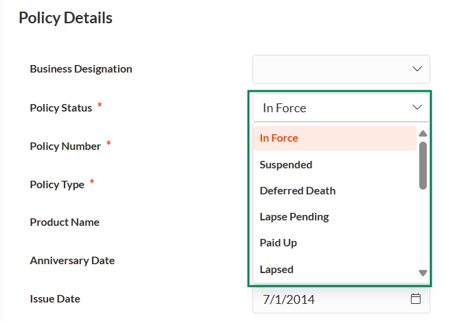
Policy status reference
-
In Force
-
Suspended
-
Deferred
-
Death Lapse
-
Pending
-
Paid Up
-
Lapsed
-
Terminated
-
Policy Converted
-
Death Claim
-
Surrendered
-
1035 Exchanged/Replaced
-
Not Taken/Declined
-
Matured
-
Pended Rescinded