![logo-1-1.png]](https://support.proformex.com/hs-fs/hubfs/logo-1-1.png?height=22&name=logo-1-1.png)
Enabling Group By
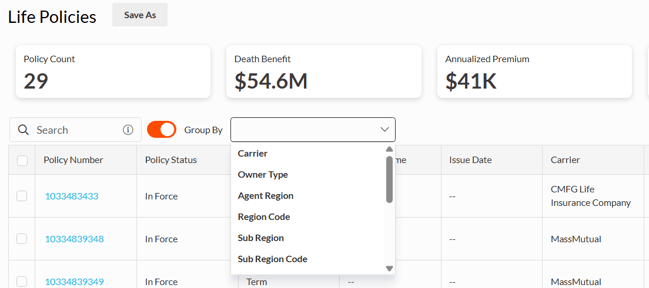
The Group By toggle is located next to the search bar.
- Turn ON to display the Group By dropdown
- Turn OFF to hide the grouping options
Select a Group By Option
Once the toggle is enabled:
- Use the Group By dropdown to select a category
- Click Apply (button remains disabled until a selection is made)
Available Group By Options:
- Carrier
- Owner Type
- Agent Region
- Sub Region
- Sub Region Code
- Branch
- Branch Code
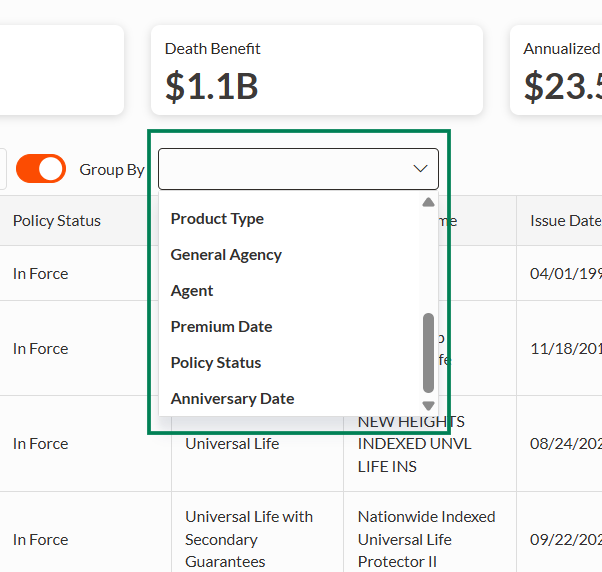
- Product Type
- General Agency
- Agent
- Premium Due
- Policy Status
- Anniversary Date
Grouped Report View
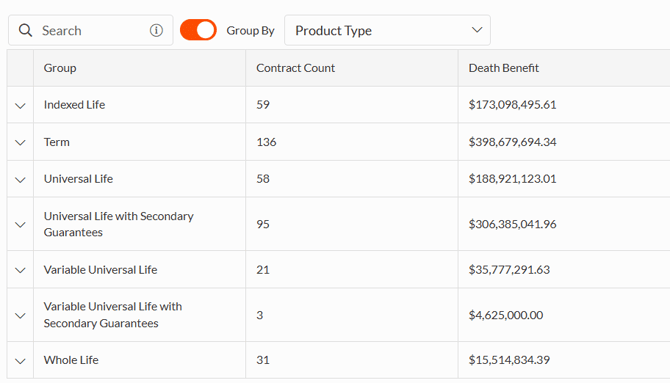
After applying a grouping option:
- Data is organized into summary rows showing:
- Policy Count
- Death Benefit (total)
- Cash Value (total)
- Surrender Value (total)
- Premium (total)
- Groups are collapsed by default
- Click a group to expand and view policy-level details
Save and Share Reports
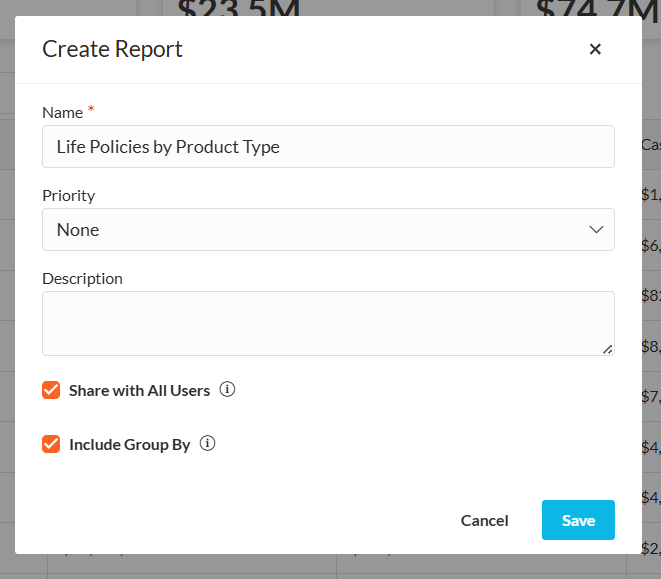
- Report configurations can be saved for reuse
- Use the "Include Group By" checkbox when saving:
- Check --> grouping is shared with other users
- Unchecked --> grouping is not shared
Limitations
- Only one grouping level is supported
- Summary layout and totals cannot be customized